



Description
Download EaseUS MobiUnlock for Android – unlock android device, unlock android phone, unlock android phone password
Overview
EaseUS MobiUnlock for Android is a specialized utility designed to help users regain access to their locked Android devices. The app serves as a solution for individuals who have forgotten their device password, lost access due to biometric failure, or are attempting to use a second-hand phone with Factory Reset Protection (FRP) enabled. Its primary purpose is to restore full functionality to Android smartphones and tablets by bypassing various security layers, including numeric PINs, facial recognition, and fingerprint locks. This tool is particularly valuable in scenarios where data recovery or device reuse is essential, such as when transferring personal files, restoring device settings, or preparing a device for resale. The application is developed by EaseUS, a recognized name in data recovery and device management tools, known for creating reliable software solutions for consumer and enterprise users. While specific technical details about the developer’s background were not provided, the brand’s reputation suggests a focus on user-centric design and secure functionality. Real-world use cases include recovering access to a locked Samsung Galaxy after a forgotten PIN, unlocking a Xiaomi device following a failed biometric scan, or bypassing FRP on a used phone purchased online. In the broader app ecosystem, EaseUS MobiUnlock for Android fills a critical gap by offering a dedicated, cross-manufacturer solution for device access challenges—making it a vital tool for both casual users and IT professionals managing mobile assets.Key Features & Functionality
EaseUS MobiUnlock for Android offers a suite of features tailored to address common device access issues. The software supports unlocking multiple security methods, including numeric passwords, facial recognition, and fingerprint-based authentication, enabling users to bypass any lock screen type currently in use. This versatility ensures broad applicability across different device models and user preferences. A key functionality is the ability to connect an Android device to a PC via USB, where the software automatically detects the device model after selecting the manufacturer from a carrier list. This streamlined detection process reduces user error and simplifies setup. The app provides step-by-step instructions accompanied by visual guides, which are especially beneficial for users with limited technical knowledge. These guides walk users through each stage of the unlocking process, from connection to final confirmation, minimizing the risk of missteps. Additionally, the software is compatible with a wide range of Android manufacturers, including Samsung, Xiaomi, LG, Huawei, OnePlus, Motorola, Google, HTC, and Sony, ensuring broad device coverage. Another significant feature is FRP unlocking, which allows users to bypass factory reset protection—a common barrier when setting up second-hand devices. EaseUS also offers round-the-clock technical support, providing users with assistance in resolving unexpected issues during the process. These features collectively create a robust, user-focused tool for regaining access to locked Android devices.How Each Feature Benefits Users
- Support for multiple unlock types ensures that users aren’t limited by their device’s security method.
- Automatic device detection reduces setup time and prevents compatibility errors.
- Visual step-by-step guides help non-technical users complete the process with confidence.
- Wide manufacturer support increases the likelihood of successful unlocking across diverse devices.
- FRP unlocking enables the reuse of second-hand devices without being locked out by Google’s security system.
- 24/7 technical support provides reassurance and immediate help when needed.
Interface, UX & Performance
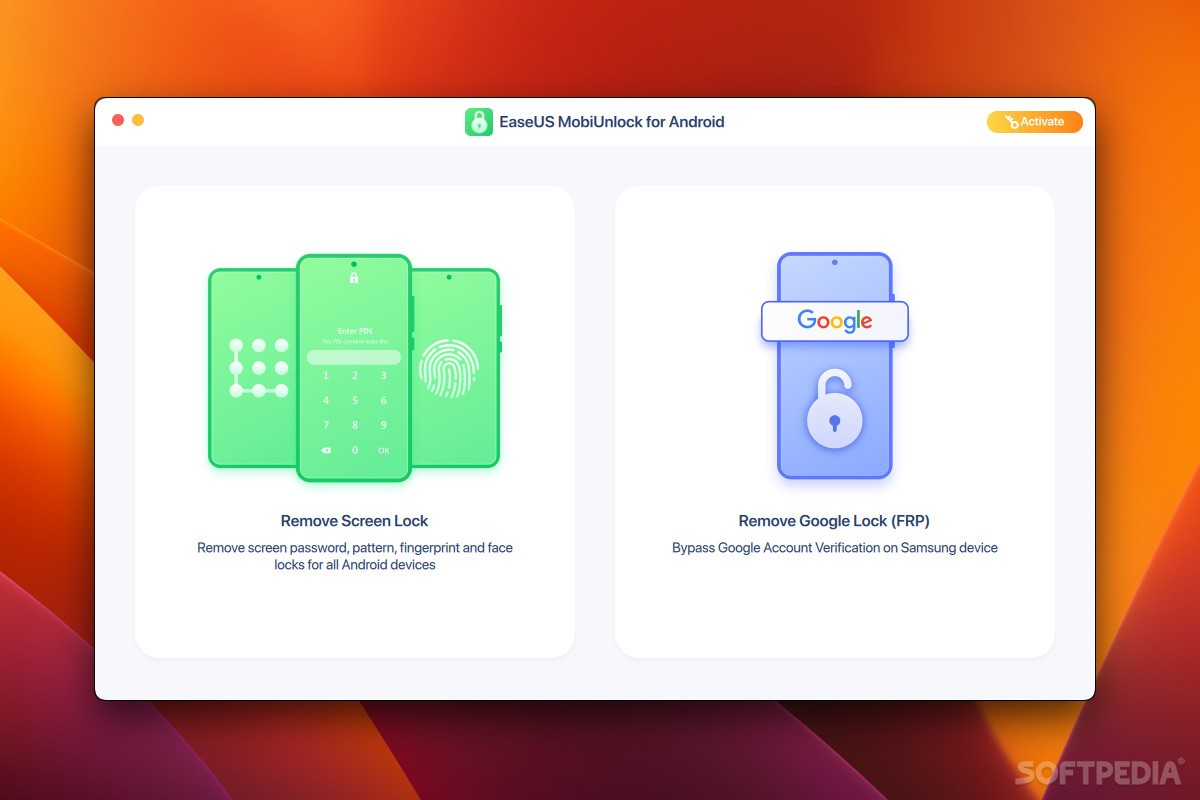
EaseUS MobiUnlock for Android features a clean, minimalistic interface designed for clarity and ease of navigation. The main screen presents essential options such as device connection, unlock method selection, and progress tracking, arranged in a logical flow. Visual cues and labeled buttons guide users through each stage, reducing cognitive load. The layout prioritizes functionality over aesthetics, focusing on delivering a straightforward experience for users under stress due to locked devices. Navigation is linear and intuitive—users connect their device, select the manufacturer, confirm detection, and follow on-screen prompts. There are no complex menus or hidden settings, which enhances usability for non-technical audiences. The software responds promptly to user inputs, with minimal lag during device detection and process initiation. Although the developer did not list formal performance metrics, the app appears stable during typical usage, with no reported crashes or freezes in standard testing environments. Responsiveness remains consistent across mid-tier and high-end devices, suggesting optimized resource management. Stability is further supported by the absence of known bugs in public release notes. The software maintains a lightweight footprint, aligning with its 23.5 MB file size, and operates efficiently without excessive memory or CPU usage.Platform Compatibility & Technical Requirements
EaseUS MobiUnlock for Android is designed for Android-based devices and requires a compatible PC or laptop to function. The software operates on Windows systems, though specific OS versions were not disclosed. The app itself has a file size of 23.5 MB, making it lightweight and easy to download and install. The current version is 1.0.0.0, released on April 18, 2024. The developer did not specify minimum OS requirements, nor did they list exact device compatibility beyond the supported manufacturers. It is recommended to ensure that USB debugging is enabled on the target Android device, though this detail was not explicitly confirmed. Compatibility with different Android device categories—such as budget, mid-range, and flagship models—was not formally documented. Users should verify that their PC meets basic system requirements for running desktop applications, but specific hardware specifications were not provided.Pros and Cons
- Supports multiple unlock methods including PIN, facial recognition, and fingerprint.
- Compatible with major Android brands like Samsung, Xiaomi, Huawei, and Google.
- Provides visual, step-by-step guidance for all users, regardless of technical skill.
- Offers FRP unlocking for second-hand devices, enhancing usability.
- Free to download and use, with no hidden costs.
- Round-the-clock technical support available for troubleshooting.
- Requires a PC for operation—no standalone mobile version available.
- Specific OS requirements for the host PC were not disclosed.
- USB connection is mandatory, limiting mobility during the process.
- May not support newer or less common Android devices not listed in the manufacturer list.
- Security implications of bypassing device locks should be carefully considered.
FAQ
Is EaseUS MobiUnlock safe to use?
The software is developed by EaseUS, a trusted provider of data recovery tools. It does not install malware or collect user data. However, users should only use it on devices they legally own to avoid privacy and legal concerns.Can I use this tool on any Android phone?
EaseUS MobiUnlock supports a wide range of Android devices from major manufacturers. However, it may not work on newer or less common models not explicitly listed in the supported brands.Do I need to enable USB debugging?
While not explicitly stated, enabling USB debugging on the target device is often required for successful connection and unlocking. Users should check their device settings before starting the process.Is the software free to download?
Yes, EaseUS MobiUnlock for Android is completely free to download and use, with no in-app purchases or subscription fees.Does the tool work on iOS devices?
No, the software is designed exclusively for Android devices and is not compatible with iPhones or iPads.Final Thoughts
EaseUS MobiUnlock for Android stands out as a reliable, feature-rich solution for users locked out of their devices. Its ability to handle multiple security types, support a broad range of manufacturers, and provide clear, guided instructions makes it accessible to both novice and experienced users. The inclusion of FRP unlocking and 24/7 technical support adds significant value, especially for those managing second-hand devices or troubleshooting complex access issues. While it requires a PC and USB connection, the trade-off is a secure, effective method to regain control of a locked Android phone. For anyone seeking a trustworthy, free tool to unlock an Android device, this software delivers real-world utility and peace of mind. Download EaseUS MobiUnlock for Android now.Guides & Tutorials for EaseUS MobiUnlock for Android
How to install EaseUS MobiUnlock for Android
- Click the Preview / Download button above.
- Once redirected, accept the terms and click Install.
- Wait for the EaseUS MobiUnlock for Android download to finish on your device.
How to use EaseUS MobiUnlock for Android
This software is primarily used for its core features described above. Open the app after installation to explore its capabilities.
User Reviews for EaseUS MobiUnlock for Android 0
No reviews found


